
How to Verify Your Domain for Frak Ad Manager
Make sure no one else can use your domain with Frak Ad Manager.
Why do I need to do this?
We don't want someone else to claim your domain name as a new product in the Frak Ad Manager. You can help us keep your domain safe by showing us that you are the owner.
You do this by updating settings for your domain at your domain registrar, not at Frak.
How to Verify Your Domain
Every domain (like your-company.com) has a set of DNS records that can be viewed by anyone on the internet. DNS records tell computers how to find your website and where to deliver your company's email messages.
You'll copy a verification code from the Frak Ad Manager Product setup tool.
You'll sign in to your domain registrar and paste the verification code in to the DNS records for your domain name.
After your domain registrar publishes your verification code, we'll know you are the owner of your domain.
To complete this task, open two tabs in your web browser:Tab 1: List a New Product
- Open business.frak.id/dashboard and click on the card "+ List a Product". For more information, visit: How to list a new product.
- Enter your domain name
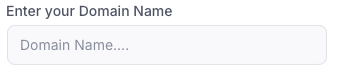
- A verification code will automatically appear.

Tab 2: Sign in to your domain registrar
- You update your domain settings at your domain registrar's website, not at Frak Ad Manager.
- Make sure you have the account ID and password needed to sign in to your domain registrar.
Note: Frak Ad Manager can't sign in to your domain registrar—only a domain's owner can do that. If you need help accessing this account, please contact your registrar.
Follow these instructions to add your verification code
Step 1: Find your DNS records
a. Sign in to your registrar's website. This is usually the place where you bought your domain or where you host your website.
b. Open a new tab and sign in to your registrar's website. This is usually the place where you bought your domain or where you host your web site.
c. Select the domain you're setting up today and look for the place where you manage DNS records.
This page might be called:
- DNS settings or DNS management
- Advanced settings
- Name server management
- Control panel
Important: If you have trouble finding DNS records, contact your registrar for help.
Step 2: Add your verification code
a. In the Frak Ad Manager, copy your verification code:
b. Switch to the tab with your registrar's website and create a new TXT record.
c. Save your new TXT record.
Step 3+: Tell Frak Ad Manager to verify your code
a. Return to the browser tab where you have the Frak Ad Manager open.
b. Click on the Verify button next to your domain name entry.


If the Frak setup tool can't find your new TXT record, wait an hour before you try again.